Ipinapakita ang mga post na may etiketa na USB Protection Tools. Ipakita ang lahat ng mga post

Miyerkules, Disyembre 4, 2013

Panda USB Vaccine


Panda USB Vaccine

Panda USB Vaccine - Antimalware and Vaccine for USB devices

There is an increasing amount of malware which, like the dangerous Conficker worm, spreads via removable devices and drives such as memory sticks, MP3 players, digital cameras, etc. To do this, these malicious codes modify the AutoRun file on these devices.

Panda USB Vaccine is a free solution designed to protect against this threat. It offers a double layer of preventive protection, allowing users to disable the AutoRun feature on computers as well as on USB drives and other devices:

Vaccine for computers: This is a ‘vaccine' for computers to prevent any AutoRun file from running, regardless of whether the device (memory stick, CD, etc.) is infected or not.

Vaccine for USB devices: This is a ‘vaccine' for removable USB devices, preventing the AutoRun file from becoming a source of infection. The tool disables this file so it cannot be read, modified or replaced by malicious code.

This is a very useful tool as there is no simple way of disabling the AutoRun feature in Windows. This provides users with a simple way of disabling this feature, offering a high degree of protection against infections from removable drives and devices.


Download Link:
Panda USB Vaccine

Sabado, Nobyembre 30, 2013

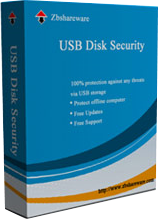
USB Disk Security 6.8.0.501


USB Disk Security 6.8.0.501

USB Disk Security provides 100% protection against any threats via USB drive, however, the majority of other products are unable even to guarantee 90% protection. USB Disk Security is the best antivirus software to permanently protect offline computer without the need for signature updates, but other antivirus software should update signature database regularly, and they cannot effectively protect offline computer. This light and easy to use solution is 100% compatible with all software and doesnt slow down your computer at all. You pay USB Disk Security once and get it all, however, other antivirus products should be paid for updates every year.


Product Highlights:
100% protection against any malicious programs via USB storage
USB Disk Security uses innovative proactive technology to block any threats via USB drive. There are relatively few products available in shops or on the Internet which offer even close to 100% protection against any malicious programs via USB drive. The majority of products are unable even to guarantee 90% protection. USB Disk Security is the world’s best software to block threats via USB drive.


The best solution to protect offline computer
Other antivirus software should update signature database regularly, and they cannot effectively protect offline computer that is not connected to the Internet. When new viruses, worms and other malicious attacks strike, traditional signatures are insufficient. Every minute one waits for a virus signature update creates a window of vulnerability that could have devastating consequences. USB Disk Security uses advanced proactive detection techniques, requires no signature updates, and closes the window of vulnerability left open by other reactive, signature-based responses.


The world’s fastest and smallest antivirus software
With USB Disk Security, it’s not necessary to sacrifice speed for detection and scanning. Compare antivirus software and youll discover that USB Disk Security is by far one of the smallest applications in the industry. For example, the v5.0 of USB Disk Security installer is just 1 MB. The program utilizes approximately 1 to 7 MB of RAM.


100% compatible with all software
Incompatibility between antivirus programs is an issue. In the vast majority of cases, installing two antivirus programs from different vendors on one machine (for increased protection) is technically impossible, as the two programs will disrupt each other’s functioning. However, USB Disk Security is 100% compatible with all software, including Windows Vista.


Simple to use
USB Disk Security has been specifically designed to perform effectively regardless of the user’s level of computer expertise. Just install and forget it.


Download Link:
USB Disk Security 6.8.0.501 Crack

USB Threat Defender


USB Threat Defender

USB drives are common today, they are used as pen drives, flash disks, ipods, memory cards etc. These USB storage disks are often infected with malwares which have a large variety, and are undetected by the Anti-Virus. When plugged into a system they infect the host system. These malwares damage the system, they destroy important files, cripple the system and much more.

What you need is - USB Threat Defender.
The USB Threat Defender application is not just another autorun.inf virus remover, it takes more than that to provide maximum protection guarantee. USB Threat Defender is the ultimate USB Anti-Virus, its unique Proactive and Definition scan Technology combined together unleashes a new security stronghold level to give rock-solid protection against any USB threat, guaranteed.

This new protection level detects and removes both known and unknown threats missed by your Anti-Virus to give maximum protection against any USB threat attack. It also removes pre-existing installed viruses from your system.
USB Threat Defender is designed to work without regular updates, hence it protects both Online and Offline computers of Home and Business effectively.

Here are some key features of "USB Threat Defender":

·        Provides maximum protection against any USB Threats.
·        Uses Proactive Scan Technology to detect unknown malwares.
·        Uses Definition based scan to detect known malwares.
·        Successfully Removes already installed malwares on a system.
·        Cures crippled system, and restores system health.
·        Performs complete in depth analysis to detect malwares.
·        Uses integrated real-time Resident Shield to detect malwares at early stage.
·        Has Quarantine Option to recover infections.
·        Does not require regular Updates.
·        Protects both Online and Offline systems effectively.
·        Protects Home and Business systems effectively.
·        Easy to use graphical interface.


Download Link:
USB Threat Defender License

USB Disk Security 6.4.0.1 Final


USB Disk Security 6.4.0.1 Final

USB Disk Security provides 100% protection against any threats via USB drive, however, the majority of other products are unable even to guarantee 90% protection. USB Disk Security is the best antivirus software to permanently protect offline computer without the need for signature updates, but other antivirus software should update signature database regularly, and they cannot effectively protect offline computer. This light and easy to use solution is 100% compatible with all software and doesn't slow down your computer at all. You pay USB Disk Security once and get it all, however, other antivirus products should be paid for updates every year.

Product Highlights:

100% protection against any malicious programs via USB storage
USB Disk Security uses innovative proactive technology to block any threats via USB drive. There are relatively few products available in shops or on the Internet which offer even close to 100% protection against any malicious programs via USB drive. The majority of products are unable even to guarantee 90% protection. USB Disk Security is the world's best software to block threats via USB drive.

The best solution to protect offline computer
Other antivirus software should update signature database regularly, and they cannot effectively protect offline computer that is not connected to the Internet. When new viruses, worms and other malicious attacks strike, traditional signatures are insufficient. Every minute one waits for a virus signature update creates a window of vulnerability that could have devastating consequences. USB Disk Security uses advanced proactive detection techniques, requires no signature updates, and closes the window of vulnerability left open by other reactive, signature-based responses.

The world's fastest and smallest antivirus software
With USB Disk Security, it’s not necessary to sacrifice speed for detection and scanning. Compare antivirus software and you'll discover that USB Disk Security is by far one of the smallest applications in the industry. For example, the v5.0 of USB Disk Security installer is just 1 MB. The program utilizes approximately 1 to 7 MB of RAM.

100% compatible with all software
Incompatibility between antivirus programs is an issue. In the vast majority of cases, installing two antivirus programs from different vendors on one machine (for increased protection) is technically impossible, as the two programs will disrupt each other's functioning. However, USB Disk Security is 100% compatible with all software, including Windows Vista.

Simple to use
USB Disk Security has been specifically designed to perform effectively regardless of the user’s level of computer expertise. Just install and forget it.

OS: Microsoft Windows 98, ME, 2000, XP, Server, Vista, 7 and 8.

Language: Multilanguage


Download Link:
USB Disk Security 6.4.0.1 Keygen

Kingsoft Antivirus


Kingsoft Antivirus

What’s new?

USB drive Defense has been enhanced, and include some bug fixes in this release.

USB Defense updated - It achieves all-round protection for USB drive and system security.
1) Strengthen USB defense against USB viruses
2) Add a float window for USB defense
3) Add USB defense settings page
4) Add a Safely Eject icon on taskbar

Some bugs fix
1) Anti-hacker scanning information is not remembered after reboot
2) Boundary defense settings information is not remembered after reboot
3) Defense rules can’t be removed in Application Rules window
4) Other minor bugs fix


Download Link:
Kingsoft Antivirus

Bitdefender USB Immunizer


Bitdefender USB Immunizer

A lightweight and portable application that helps users immunize their USB flash drives from autorun-based malware quickly and with minimum effort


BitDefender USB Immunizer is a software application built specifically for helping users protect their USB flash drives against infections with autorun-based malware.

By default, the removable storage devices store an autorun.ini file which usually is infected with different types of malware. This is why, you need dedicated tools like BitDefender USB Immunizer to keep your PC protected against malware.

Since this is a portable program, it is important to mention that it doesn’t leave any traces in the Windows Registry. You can copy it on any USB flash drive or other devices, and take it with you whenever you need to immunize your USB storage devices on the breeze.

BitDefender USB Immunizer sports a simplistic interface that allows users to perform most operations with minimum effort.

Basically, it proves to be extremely easy to work with this tool, as with just one click on the red program’s icon, you can activate the immunizing mode. At the end of the task, the program informs you if the USB flash drive has been immunized successfully.

What’s more, you can activate the automatic feature for making the program immunize all USB storage devices that are connected to your computer.

During our testing we have noticed that the tool immunizes USB flash drives quickly and with minimum effort. It manages to remain light on the system resource, so it doesn’t hamper computer performance, nor interfere with other programs’ functionality.

All things considered, BitDefender USB Immunizer makes the entire process seem nothing but a piece of cake. It is suitable for all types of users, regardless of their experience level.

What's New in This Release?
Addition of an auto-updater– no more firing up your browser just for an update.
Added a way to immunize several USB media at once.


Download Link:
BitDefender USB Immunizer

Flashtect Virus Remover 3.0


Flashtect Virus Remover 3.0

Flashtect Virus Remover tool allows the user to delete/remove suspicious unknown virus that is infecting the flash drives.

New GUI
·        Auto run and recycler protection bug fixed!
·        Improve cleaning process
·        normal and advance clean on one window
·        cmd pop-up window removed
·        new add-on tools added (unlocker)
·        scanner on main window(to detect if your FD contains malicious(see "file type to delete" on advance mode window)
·        simple scan added


CLEAN MENU

Normal mode - select your drive first, click Clean Flash Drive and click ok ,dialog box will appear, read the warning to avoid any file lost and mistakes, wait until the program cleans your flash drive.

Advance mode - in this feature, you can clean your drive in your own way,

Reset file attributes - resets all attributes of your files, effectively unhide your hidden files that are caused by virus. Deletes system attributes of some files that cause you to be unable to delete files like autorun.inf and recycler etc.

Unhide all hidden files - unhide all hidden files caused by virus

Delete autorun.inf/recycler - deletes auto run and recycler caused by virus (must select Reset file attributes)

File type to delete - this works only on root directory of the drive.
to know what to choose, you can use rescan button to identify what kind of virus is infecting your drive (note that you can select all file type,)

NOTE: you can use advance mode if you have a file on the root of your drive that is included in the deletion of normal clean, example is exe files,

Simple scan - use to list files and folders and also hidden files from the root of your flash dive,
(Also useful to know if your flash drive is infected of shortcut viruses without accessing your flash drive)

Drive C:\ auto run/recycler remover - this tool is on beta, it has no guarantee for now

Add/remove autorun/recycler (protection) - Viruses might try to create autorun.inf, but in presence of this folder it will be impossible.
some viruses may try to delete this folder, but it is not very easy. You can remove this friendly folder any time by the use of "delete autorun.inf/recycler folder" option.

Unhide hidden files - unhide all hidden files

Delete EXE files - removes all exe files on your drive, root and subfolder.
-not recommended for flash drives that have an installer or known exe files.
-this feature is added on this software because in my own experience there are a types of viruses that place exe files on all your folders and subfolder which are annoying to delete one by one if you have many folders and subfolders.


Download Link:
Flashtect Virus Remover 3.0